
Payroll Group Privileges
Payroll privileges control who can access, edit, and process payroll within JobBag. These settings ensure only authorised users can view employee details, create payslips, run payroll, or submit STP.
We recommend creating a dedicated Administration/Payroll user group and assigning the appropriate payroll privileges to your authorised payroll team. This protects sensitive employee data and ensures payroll is managed securely and accurately.
Step 1: Navigate to User Maintenance
File menu > Administration > Users Maintenance Double Click on user Group
(e.g.,Payroll Administrator)
Step 2: Open Payroll-Related Categories
Payroll privileges are located across several categories. Address Book/ Configuration/Diary and Events/Payroll/Superannuation
Step 3: Tick or Untick Privileges
- Tick a privilege to grant access
-
Untick a privilege to remove access
Note: Users must log out and back in for changes to take effect.
Address Book
Allows users to create employees and enter salary, tax, and employment details.
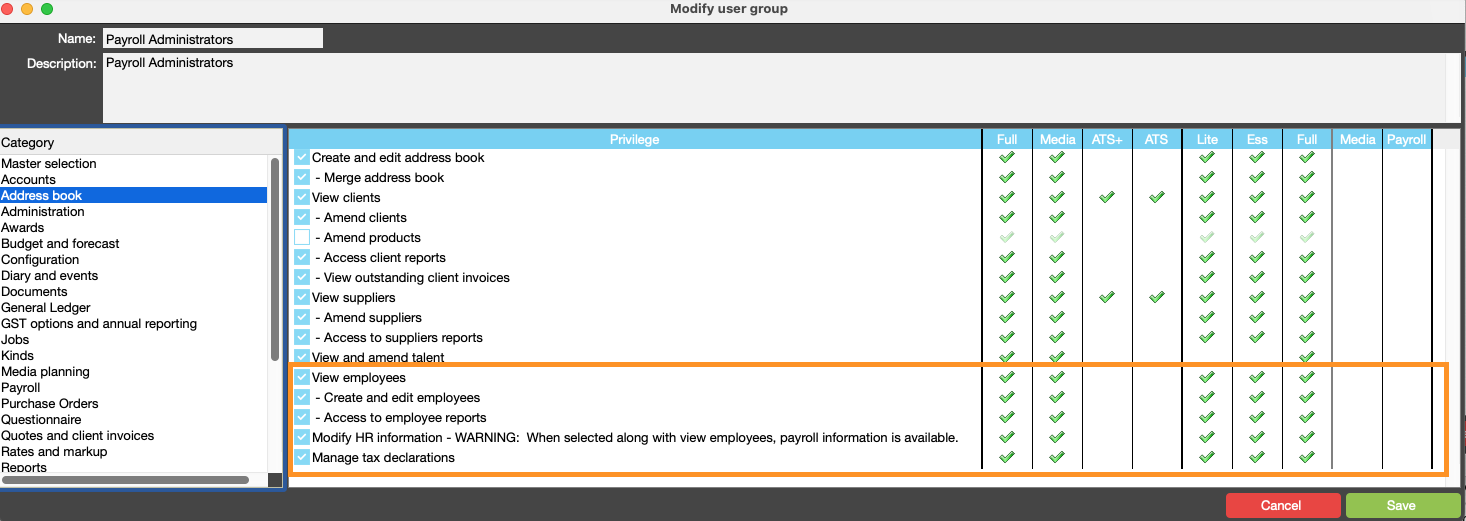
| Privilege | Privilege Description |
|---|---|
| View employees | If selected the user will be able to view employee information. Review modify HR information privilege if enabling this |
| Create and edit employees | If selected the user will be able to create and edit employees |
| Access to employee reports | If selected the user will be able to print Employee reports |
| Modify HR information - WARNING: When selected along with view employees, payroll information is available. | If selected the user will be able to see and modify HR information for employees/talent and freelancers |
| Manage tax declarations | If selected the user is allowed to manage all employees tax declarations |
Configuration
Grants access to payroll setup, including pay cycles, GL mapping, and tax tables.
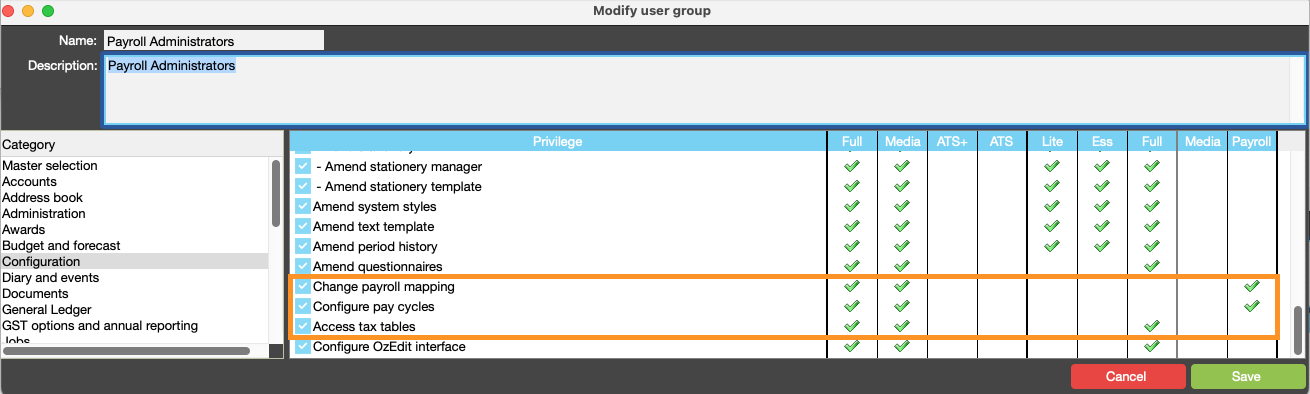
| Privilege | Privilege Description |
|---|---|
| Change payroll mapping | If selected the user is allowed to change the kind mapping in payroll |
| Configure pay cycles | If selected the user is allowed to configure pay cycles in payroll |
| Access tax tables | If selected the user is allowed to access the payroll tax tables |
| Configure OzEdit interface | If selected the user is allowed to change the OzEdit interface configuration |
Diary & Events
Allows approval, editing, and deletion of leave events and public holidays.
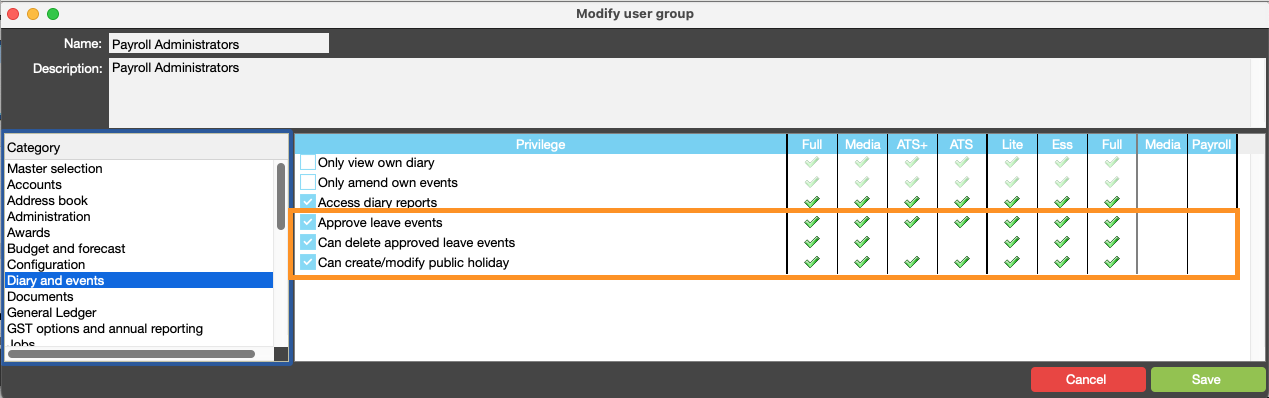
| Privilege | Privilege Description |
|---|---|
| Access diary reports | If selected the user will be able to access diary and event reports |
| Approve leave events | If selected the user can manage and approve leave events |
| Can delete approved leave events | If selected the user can delete approved leave events if not already in a payslip |
Payroll
Gives users access to create, edit, and approve payslips, and to prepare, send, and retrieve STP data.
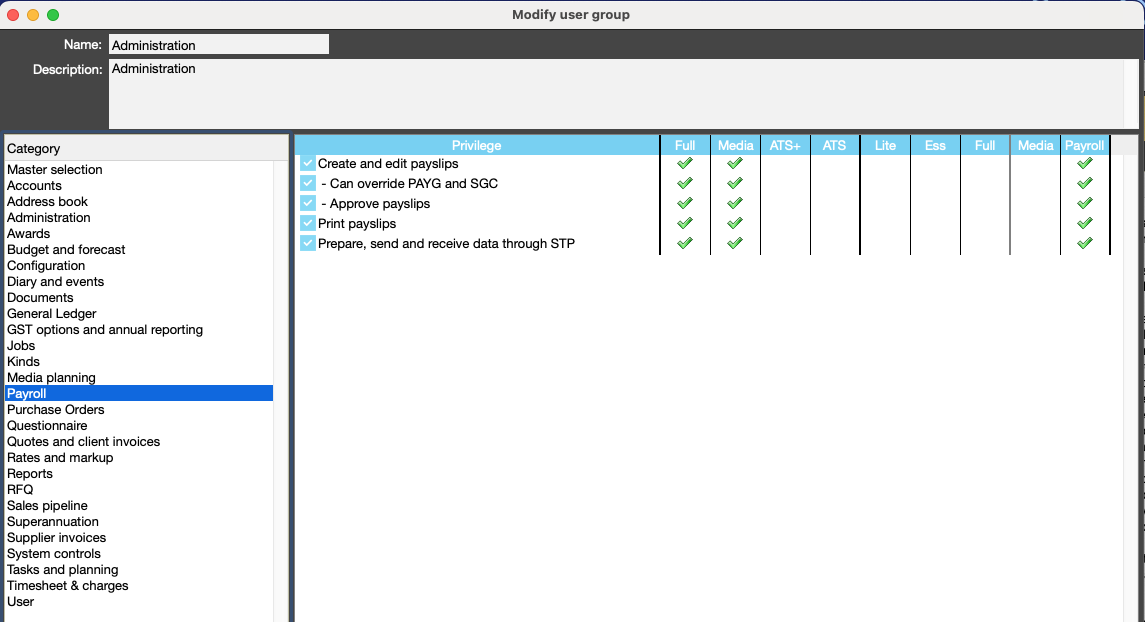
| Privilege | Privilege Description |
|---|---|
| Create and edit payslips | If selected the user is allowed to create and edit payslips |
| Can override PAYG and SGC | If selected the user is allowed to change the PAYG and SGC calculated by JobBag |
| Approve payslips | If selected the user is allowed to approve payslips |
| Print payslips | If selected the user is allowed to print payslips |
| Prepare, send and receive data through STP | If selected the user is allowed to prepare, send and receive data to/from the ATO through Single Touch Payroll |
Superannuation
Enables reconciliation, approval, and payment of superannuation.

| Privilege | Privilege Description |
|---|---|
| Manage superannuation | If selected the user will be able to prepare superannuation payments to superfunds |
| Approve superannuation | If selected the user will be able to approve superannuation payments to superfunds |
Step 4: Ask users to log out
- Note: The user needs to log off and back on for the privilege to take affect.
Organise training or need more help
Please contact support 02 8115 8090 or email support@jobbag.com